Everything from the form to the auditable record.
Six stages, one system. Every feature below is in Afere today.
Your form, no programming.
Whoever knows the process builds the form. When the standard or the procedure changes, the form changes, with no development queue.
-
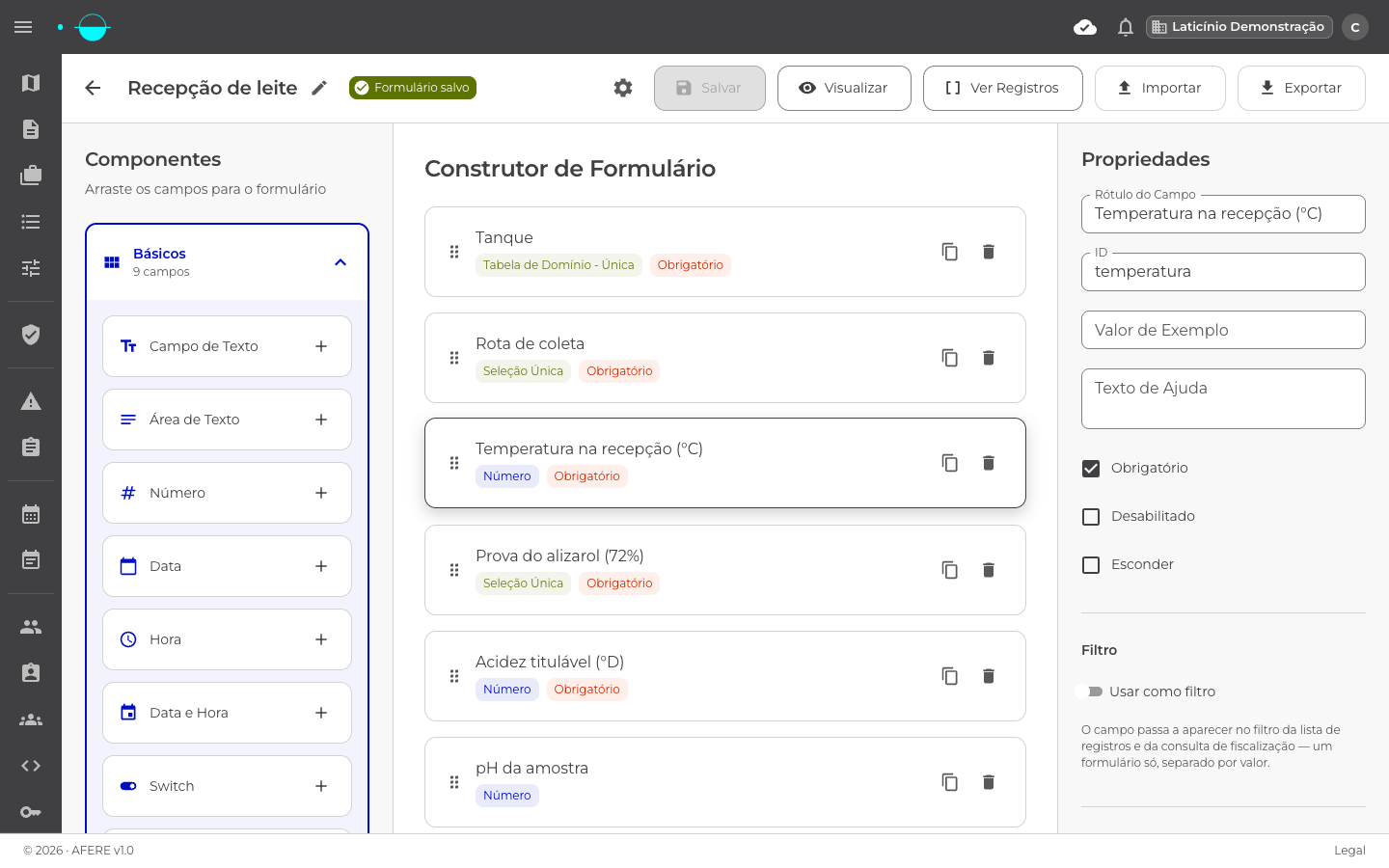
Drag-and-drop builder
Fields organized by category, with a preview of what the operator will see.
-
Over 30 field types
Text, number, choice, yes/no, date and time, photo, file, signature, barcode and QR, location, address, rating, matrix, repeater, calculated field and link to another record.
-
Per-field validation
Required, minimum and maximum, input pattern, character limit and a custom message for each rule.
-
Conditional logic
Show, hide or require fields based on previous answers.
-
Critical limits
Set the limit for each measurement. A value outside it opens a non-conformance at the moment of collection.
-
Lookup tables
Lists shared across forms (suppliers, tanks, equipment), maintained in one place.
-
Statuses and workflow
Create the record statuses and define which transitions are allowed between them.
-
Form versions
Each publication keeps a version, and you can restore a previous one.
Fast collection, where the work happens.
One question at a time, large touch targets for gloved hands, and the record saved on the device the moment the operator taps Save.
-
Android and iOS app
The device’s own camera, barcode scanner, GPS and signature pad, full screen.
-
In the browser too
The same Afere on the office computer or the shared tablet, with nothing to install.
-
Offline collection
Forms stored on the device, a local queue and automatic upload when the connection returns.
-
Take records to the field
Take open records, with photos and attachments, and edit them offline. Conflicts with the office are resolved by comparing versions.
-
Photos, attachments and signature
Multiple photos per record, attached files and a signature drawn on screen.
-
Barcode and QR
Scanned with the camera, with haptic confirmation, to identify a batch, tank or piece of equipment without typing.
-
Precise location
Each entry can store where it was made and how precise the reading was, in meters.
-
Collection schedule
One-off or recurring assignments per person, and a My collections screen with what each operator has to do.
-
Public forms
Publish a form by link or embed it in your website, with photo, file and signature.
What was done, what is pending and what went out of range.
Managers and quality leads see the operation through its records, with no consolidated spreadsheet at the end of the month.
-
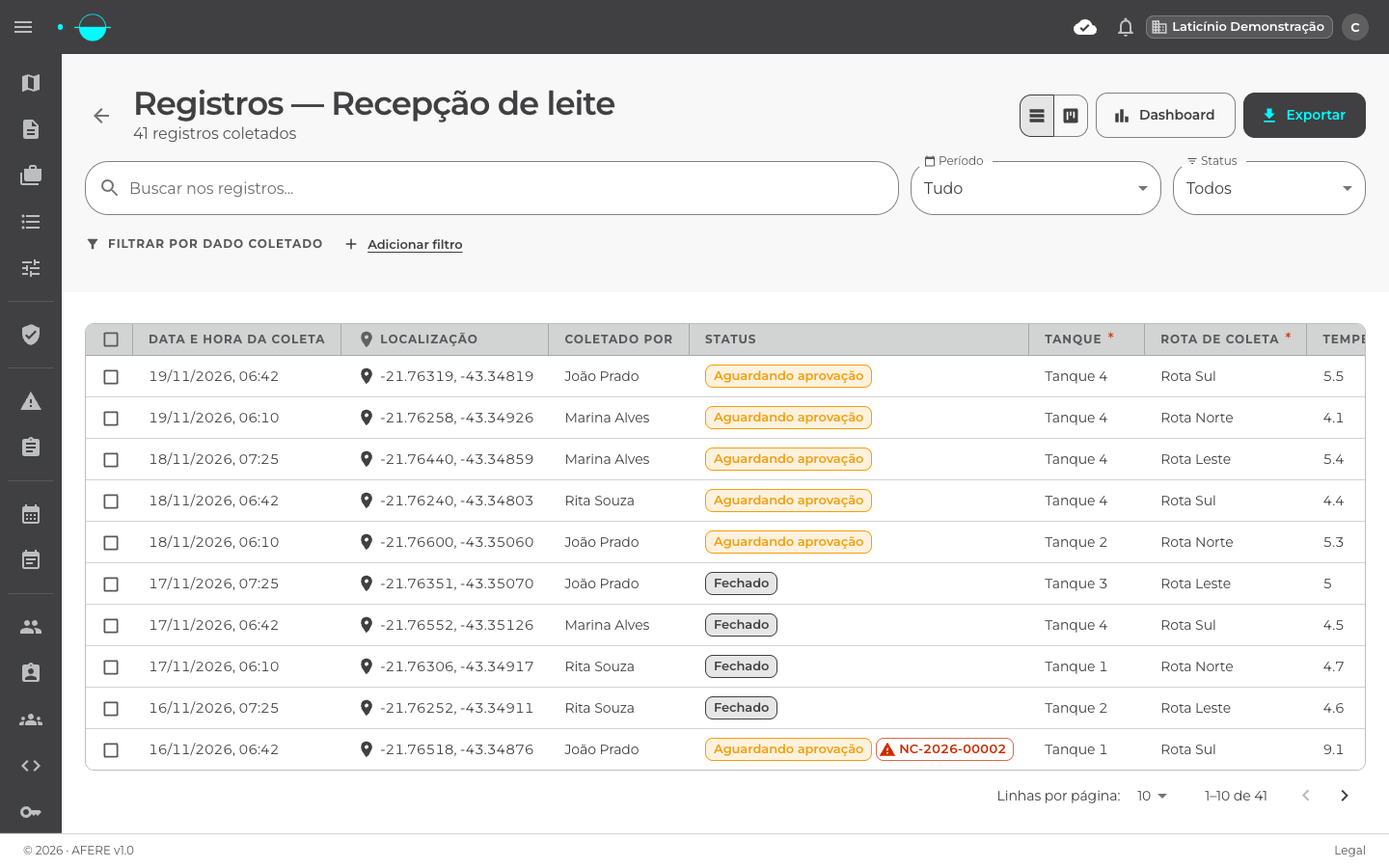
Filtered records
By period, status and field values, with the total always in sight.
-
Dashboard per form
Indicators and charts built from the form’s own fields.
-
Map view
Entries on a map, to see where each record was made.
-
Pending tasks and deadlines
Pending tasks per person and deadline alerts, from a daily sweep.
-
In-app and email alerts
Alerts in the app’s bell and by email, and each user chooses whether to get them by email.
-
Projects
Group entries by project, site, harvest or batch, with their own attachments.
-
Export and import
Export records as CSV and import data with validation and a per-row report.
A record that holds up in an audit.
Author, time, location and history on every record, and a correction path that never erases what was done.
-
Sealed closing
At closing, the record stores who closed it, when, and a seal of its content, checked on review.
-
Linked amendments
A closed record is corrected with an amendment linked to the original. Both remain visible.
-
Non-conformances
Opened by a critical limit or by hand, with correction, corrective action, root cause and product disposition.
-
Closing blocked by deviations
A record with a breached limit only closes once its non-conformance has cause, action and disposition filled in.
-
Approvers per form
Only the designated people approve or reject, and the decision stays in the record’s history.
-
History and comments
Every status change, edit and comment, with author and time.
-
Audit trail
Insert-only: the database itself refuses to edit or delete a line from it.
-
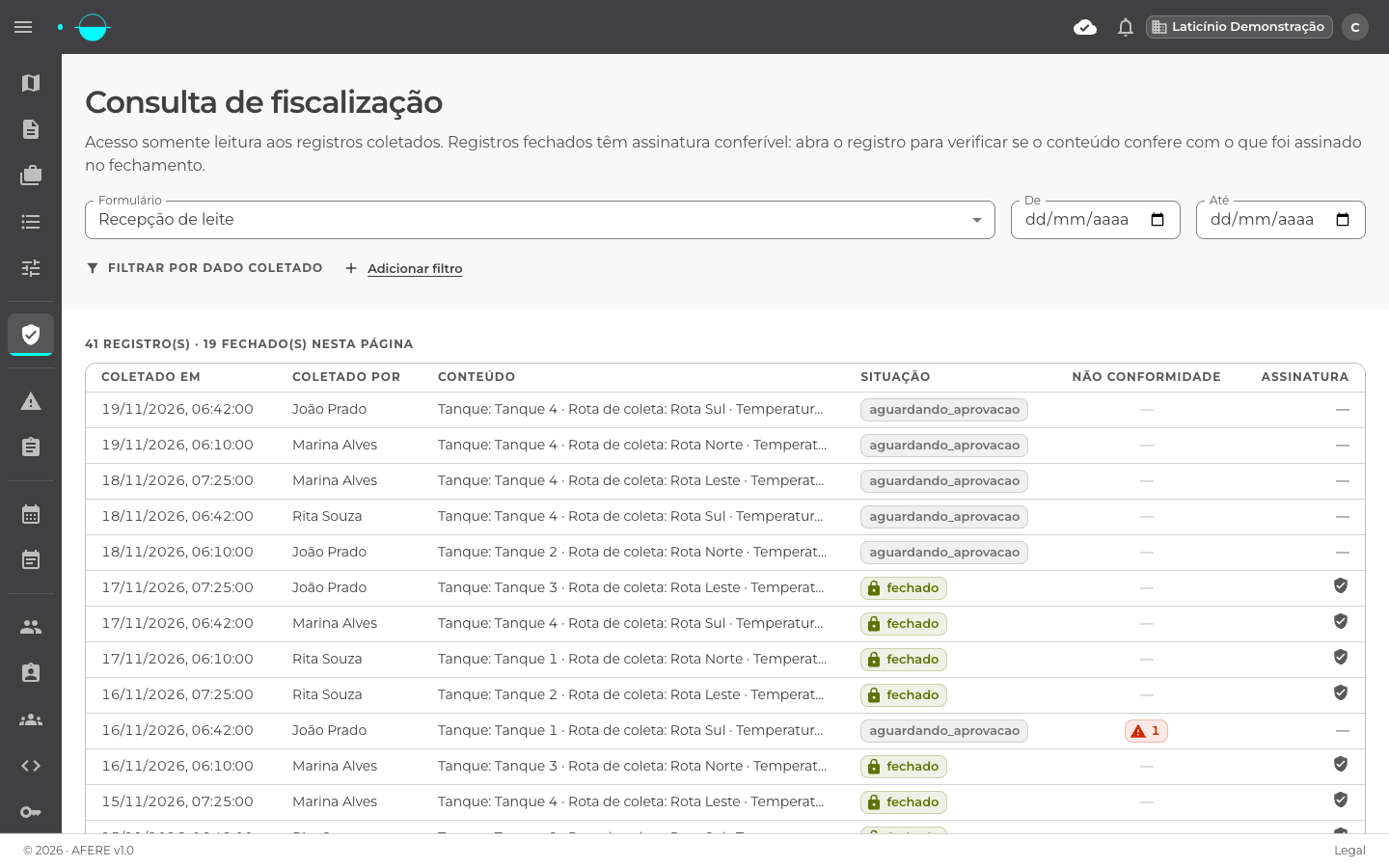
Inspector access
A read-only profile for inspectors and auditors, with records, attachments, non-conformances and the integrity check.
Access defined per person and per company.
Each customer’s data is isolated, and each user sees and does only what their profile allows.
-
Many customers, isolated data
Consultancies and groups with several sites switch company with the selector, without mixing records.
-
Access profiles and groups
Permissions per action (build, collect, approve, review, administer) and per form.
-
Sign in with Google and Microsoft
Or email and password, with two-step verification through an authenticator app.
-
Network restriction
Limit access to the company’s IPs when your security policy requires it.
-
Invitations
New users join by invitation, with their profile already set.
Records reach your systems.
For teams that need to bring the data into an ERP, BI tool or quality system.
-
API
API keys created and revoked by the administrator, shown only once.
-
Signed webhooks
Each delivery carries an HMAC-SHA256 signature of its content, so your system can verify where it came from.
-
Data events
Your own rules that run on form events, for calculations and automatic filling.
See Afere with your own forms.
Bring a form your team fills in today on paper or in a spreadsheet. We build the demo with it, so you can see what collection and the record look like.